Waitlist open · Founders Pass for the first 100 teams

Ship the fix while it's hot.

A release console for teams on GitHub Actions and Azure. See what's live and what's waiting, ship small fixes through a fast lane, and watch every run with a real ETA. When a build breaks, an AI agent can fix it. You approve before it ships.

Runs on your own machine. Your code and credentials stay there.
HotfixHQ · two commits waiting → shipped
3 h → 8 minfor a small fix on the app HotfixHQ was built for
0production credentials held by HotfixHQ
Every steptimed against how long it usually takes

Everything between “merged” and “live”

Most deploy tools stop at a green or red dot. HotfixHQ tells you what's happening, how long it will take, and what to do when it goes wrong. These are real screens from the live demo.

Every check, before it ships

Pick your own PC or GitHub's runner, with each one's usual time, success rate and cost side by side. Then every check runs again before the dispatch.

  • Production healthy, nothing else deploying
  • Every changed file allowed in the fast lane
  • Outside your busy hours, and who's online right now
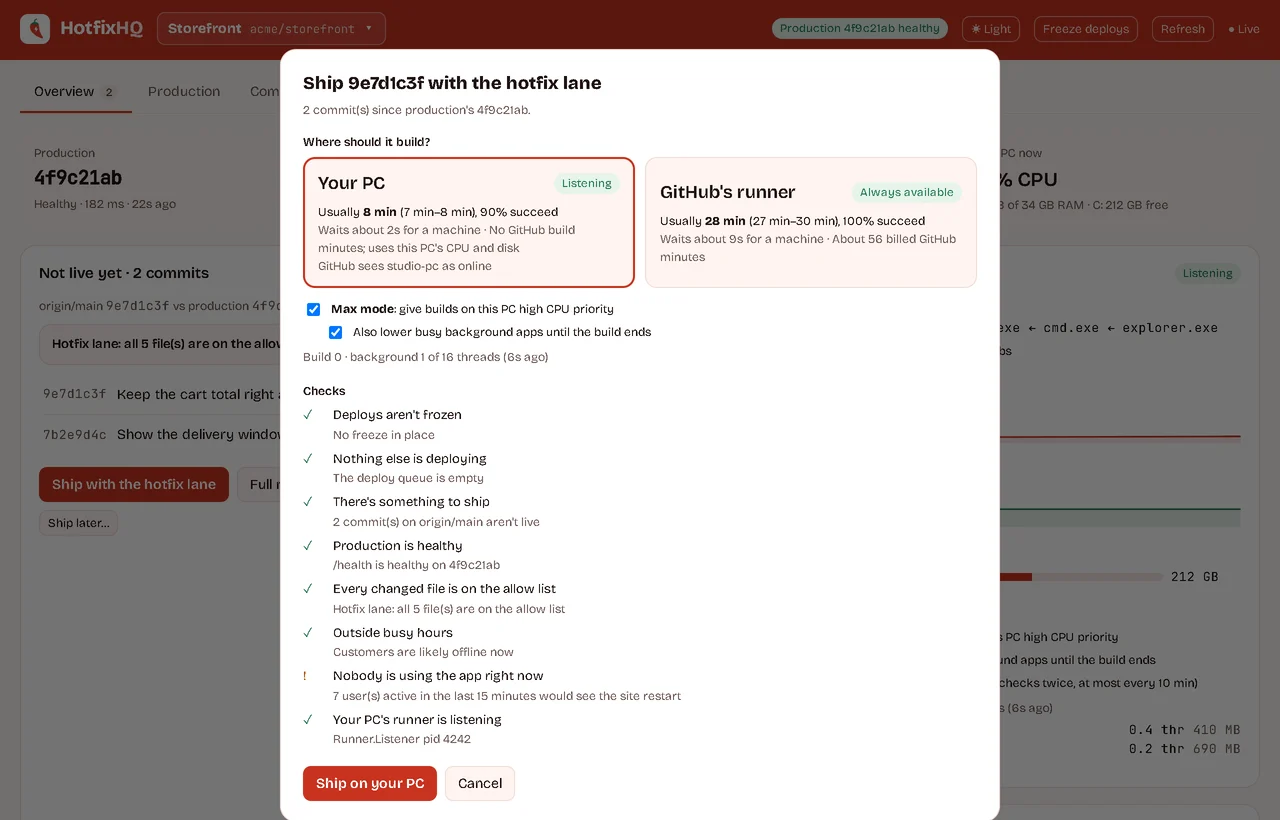
The ship dialog: choose your PC (usually 8 min) or GitHub's runner (usually 28 min), Max mode, and eight pre-ship checks

A failed run, explained and fixed

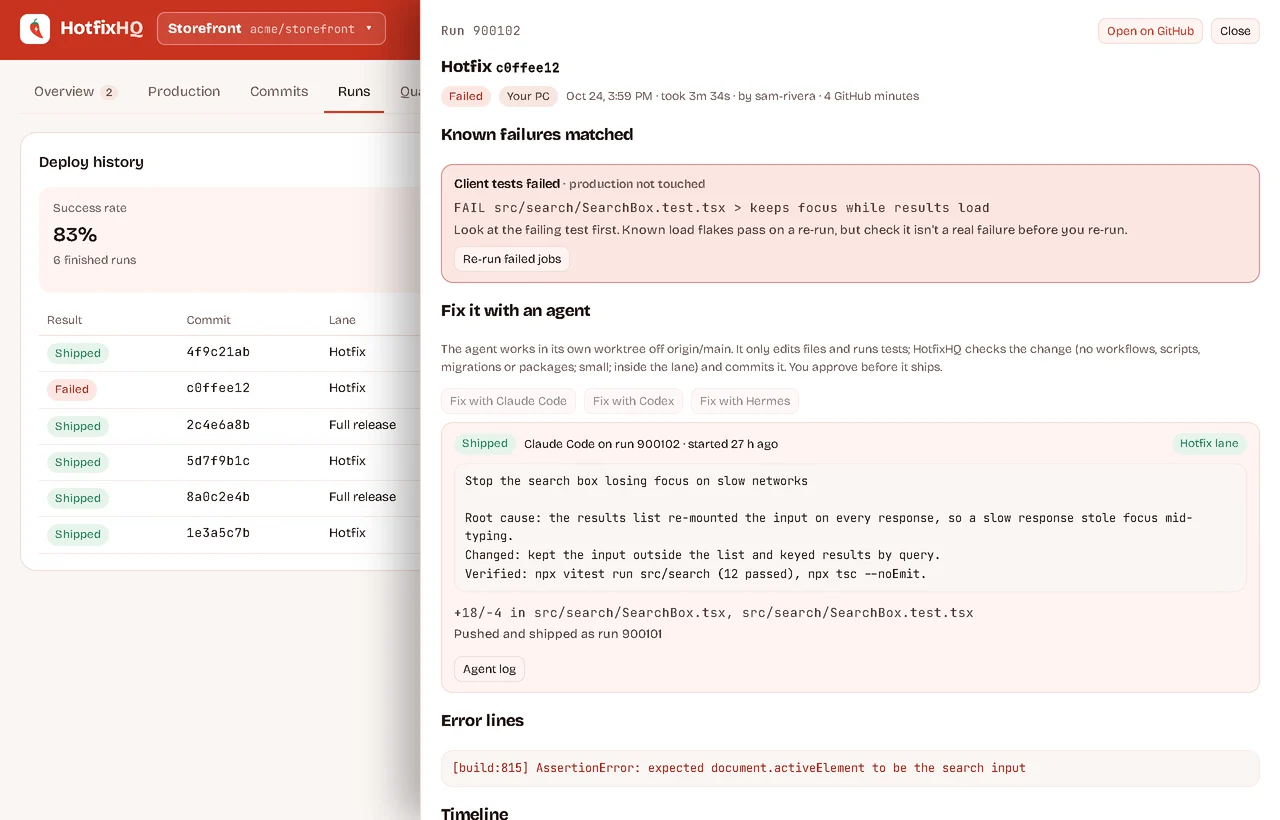
Known failures are matched to plain advice and whether production was touched. Hand the failure to Claude Code, Codex or Hermes on your own subscription.

  • The agent edits and tests in its own worktree
  • HotfixHQ checks the change: small, inside the lane, no workflows or migrations
  • You approve it before anything ships
A failed hotfix run: the matched test failure, and a fix from Claude Code with its root cause, change and checks, which was approved and shipped

Every commit, linked to the session that wrote it

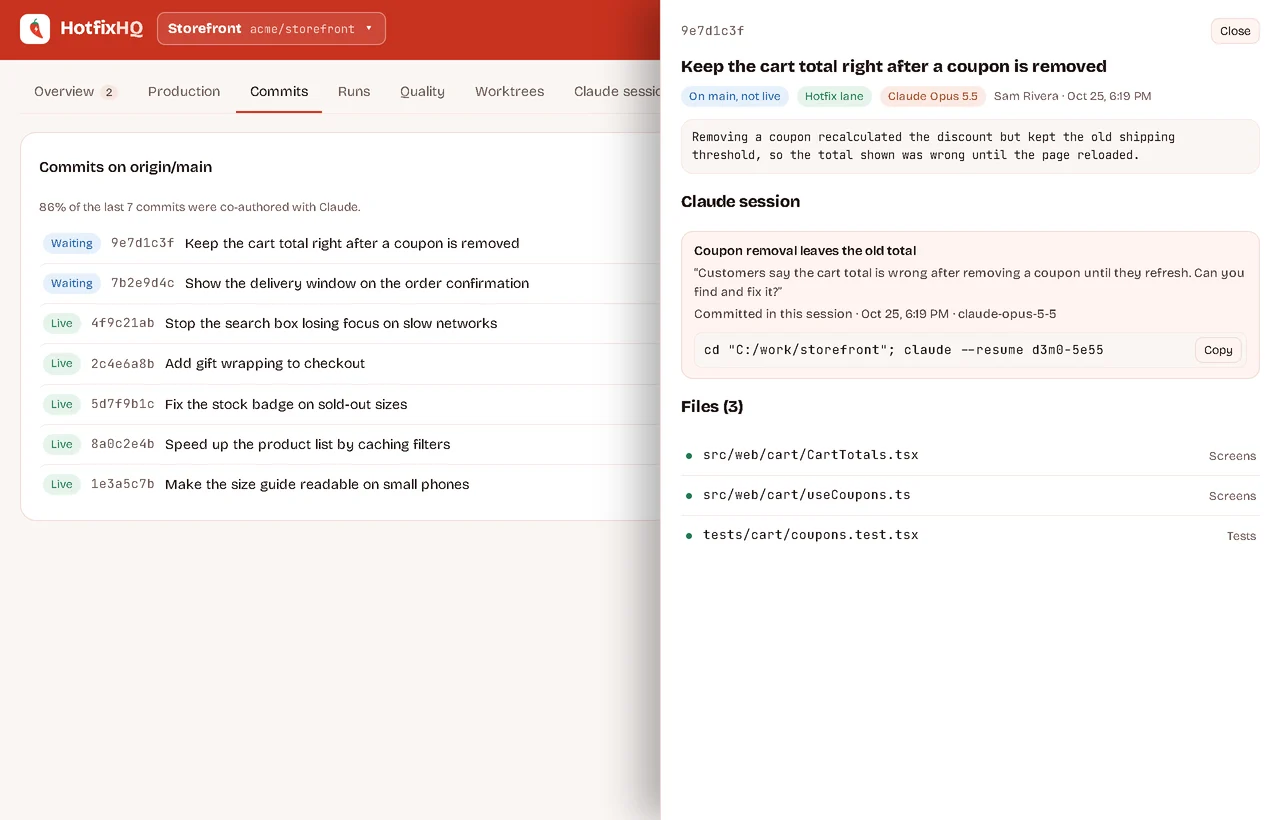
If you build with AI coding agents, HotfixHQ reads their transcripts on your PC and links each commit to the conversation that made it, with the command to resume it.

A commit waiting to ship, with the files it changes, which lane they allow, and the Claude Code session that wrote it

Production at a glance

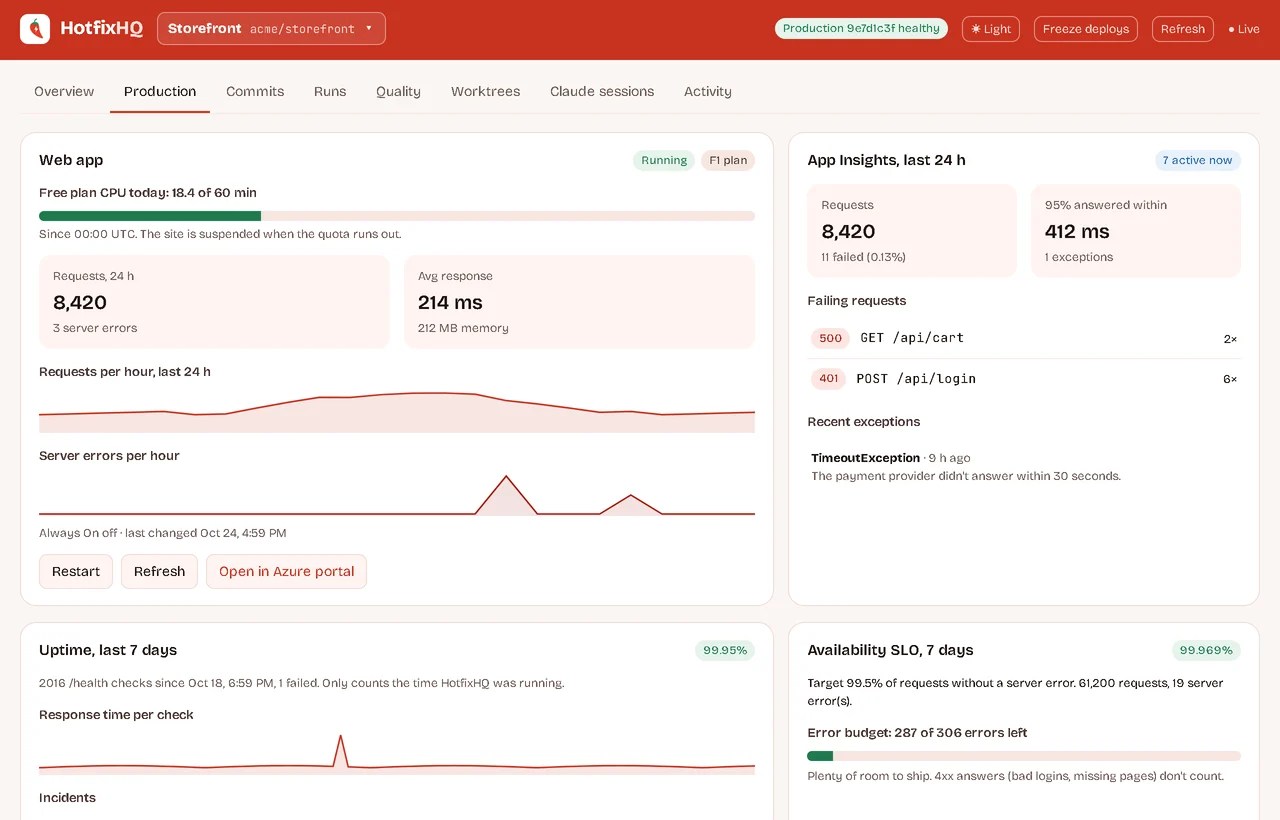
Health and uptime from your own checks, plus Azure App Service and App Insights: requests, failures, response times, an availability SLO, free-plan quotas and what it costs.

The production tab: Azure free-plan CPU, requests and server errors per hour, App Insights failures, uptime and an availability SLO

From your phone

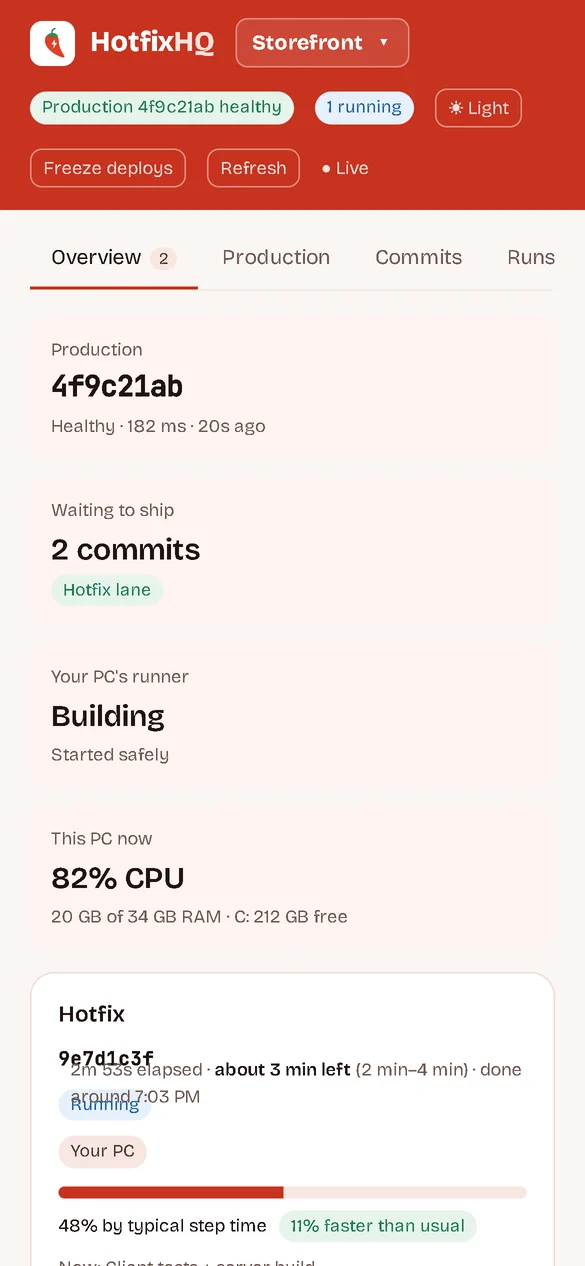
Check a deploy from anywhere through your own Cloudflare Tunnel or Tailscale, behind your password and an authenticator code. Freeze deploys or cancel a run in one tap; anything bigger asks for a fresh code.

HotfixHQ on a phone, showing a hotfix run in progress
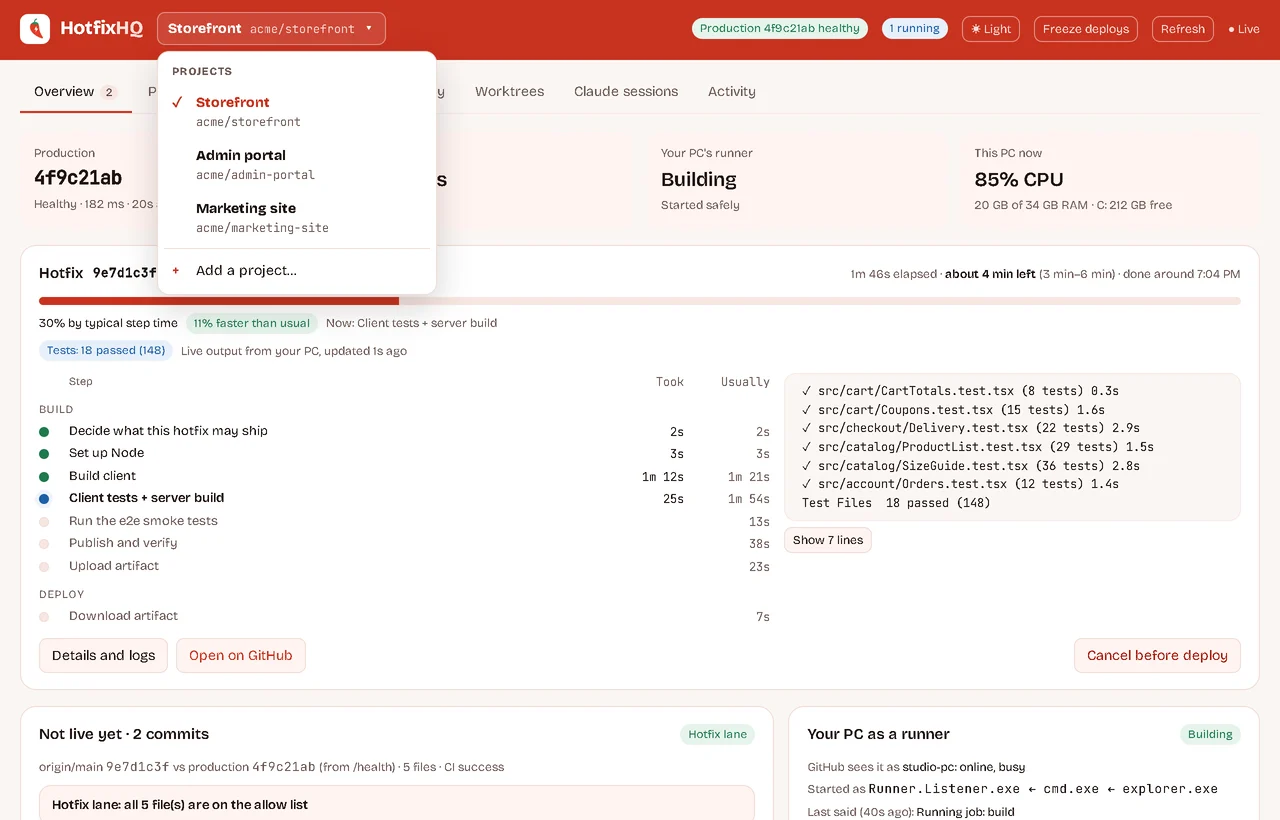
The project switcher listing three projects
All your projects. Switch from the top bar; each keeps its own history.
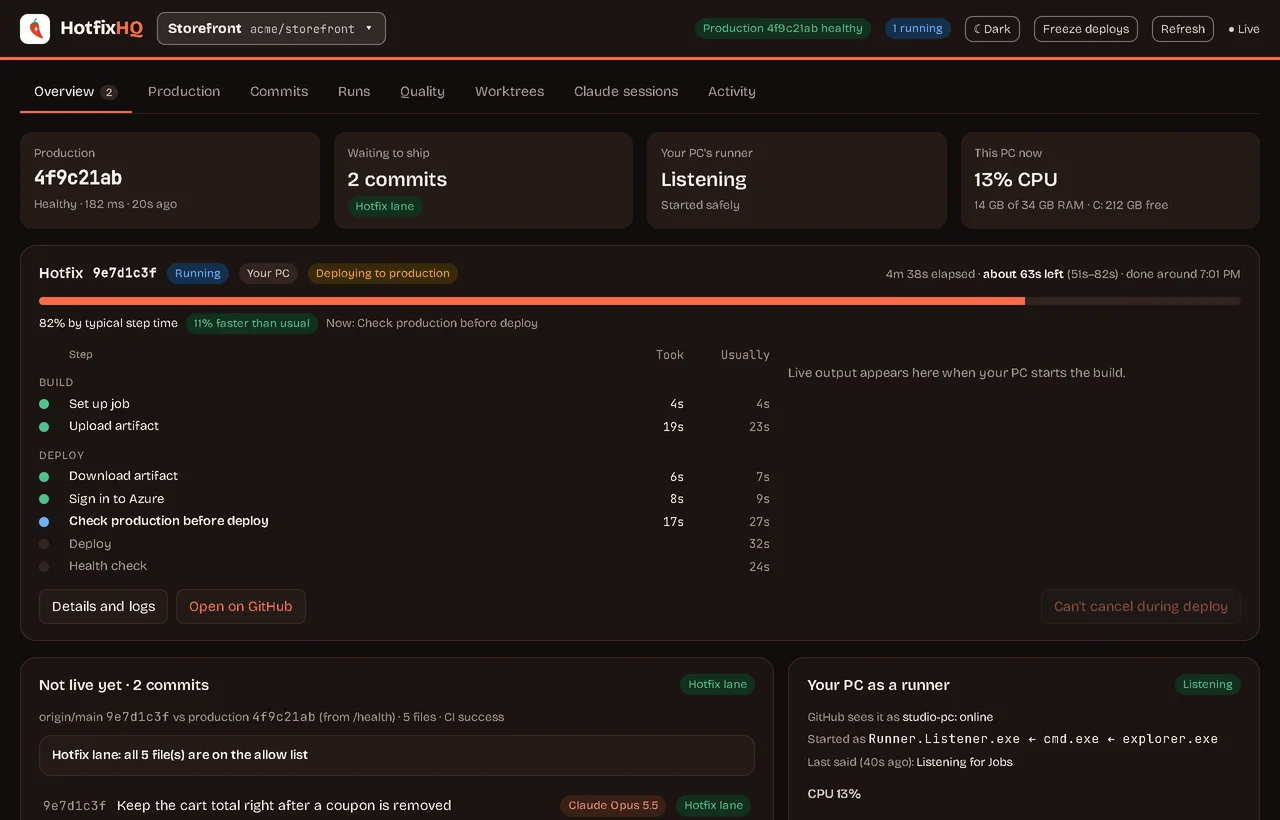
The overview in dark mode during a deploy
Light or dark. Follows your system, or pick one.

How it works

HotfixHQ sits on top of the GitHub Actions workflows you already have. It doesn't replace them or hold your production credentials.

1

Connect

Point it at your repo. It uses the GitHub CLI and Azure CLI sign-ins already on your machine.

2

See

It reads your runs, commits, workflow rules and production health, and starts timing every step.

3

Ship

Every check runs before a dispatch: health, lane, runner, disk, busy hours. Then you watch it land.

Runs on your machineDeploys only through your own workflowsEvery action loggedDry-run mode to try it safelyRevert and ship in one stepDORA metrics and flaky tests

Questions

Does HotfixHQ hold my production credentials?

No. It runs on your machine and uses your own GitHub CLI and Azure CLI sign-ins. It deploys only by starting the workflows you already have, so your existing secrets and approvals still apply.

What does it work with today?

GitHub Actions for builds and deploys, on a Windows PC. The production view reads Azure App Service and App Insights; health checks work with any site. Tell us what you use in the form, it decides what comes next.

Does the AI push fixes to production by itself?

Not unless you turn on auto mode. By default you approve each fix after HotfixHQ has checked it. The agent can't commit, and infrastructure failures (a full disk, a runner problem) never go to an agent.

Which AI agents, and who pays for them?

Claude Code, Codex or Hermes, on your own subscription. HotfixHQ starts the agent on your machine; your code isn't sent anywhere else.

What will it cost?

One Founders Pass for the first 100 teams, planned at $9 a month, or $84 a year (save 22%). There's no free tier, and nothing to pay to join the waitlist.

Can I try it first?

Yes: the live demo runs the real app on made-up data, right in your browser. People on the waitlist get it on their own repo as spots open.

Join the waitlist

HotfixHQ is opening to small teams shipping on GitHub Actions, a few at a time. Tell us how you deploy today and we'll let you know when your spot opens.

Founders Pass
First 100 teams · planned prices · nothing to pay now
$9 a month$84 a year save 22%

We'll only email you about HotfixHQ, and you can ask to be removed any time.

Would you buy the Founders Pass?

You're on the list.

We'll be in touch soon.

Know someone who'd want this? Send them hotfixhq.com.